
Verdict: Google Flow is the only free AI video plan we have tested that can feed a Shorts channel every day — and this is the exact workflow we use on it, with two real generations in this guide alone.
Best for: Faceless and small Shorts creators who want a repeatable daily routine for $0.
Not for: Anyone who needs clips longer than 8 seconds, or frame-perfect physical action.
In our 7-tool free-tier test, Google Flow won on one simple fact: it is the only free plan that refills enough credits, every day, to actually publish with. This guide turns that result into a routine. Every step below comes from generations we ran ourselves on October 31 and November 1, 2026 — one clip in Fast mode, one in Lite mode, no rerolls.
What you need before you start
A Google account and a browser. Flow lives at flow.google.com; there is nothing to install and no card is asked for on the free plan. The free plan, as measured on our account:
- 50 credits per day, refreshing daily (Flow showed us a refresh time of 11:05 PM).
- Lite clip: 10 credits — so up to 5 drafts a day.
- Fast clip: 20 credits — so 2 final-quality clips a day, with 10 credits left over.
- Quality clip: 100 credits — unreachable on the free plan. Ignore it.
- Output: 720 × 1280, about 8 seconds, with sound, and no visible watermark.
Step 1 — Start a project and set the format first
Create a new project, open the text-to-video composer, and set the format before you write anything: model (Lite or Fast — Step 3 explains which), aspect ratio 9:16, one output. Flow projects keep every generation for that idea in one place, which matters when you start comparing drafts. Both of our test clips were made exactly this way.
Step 2 — Write the prompt with the formula
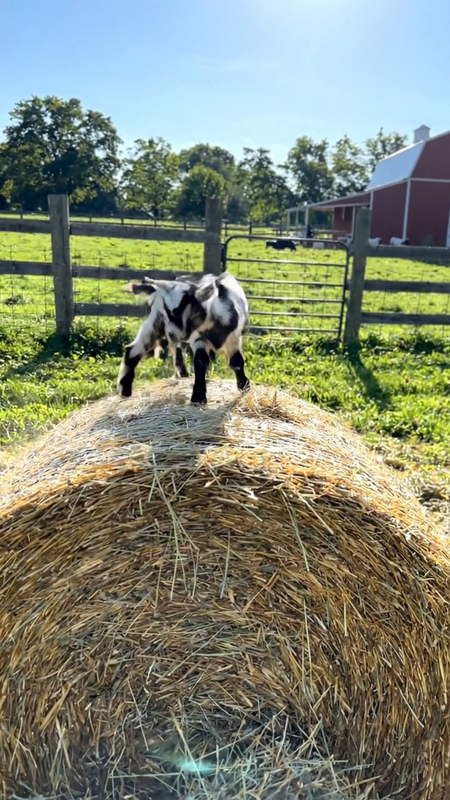
Every prompt we use follows the same five-part shape. Here is the exact prompt from our November 1 test, which produced the goat clip further down:
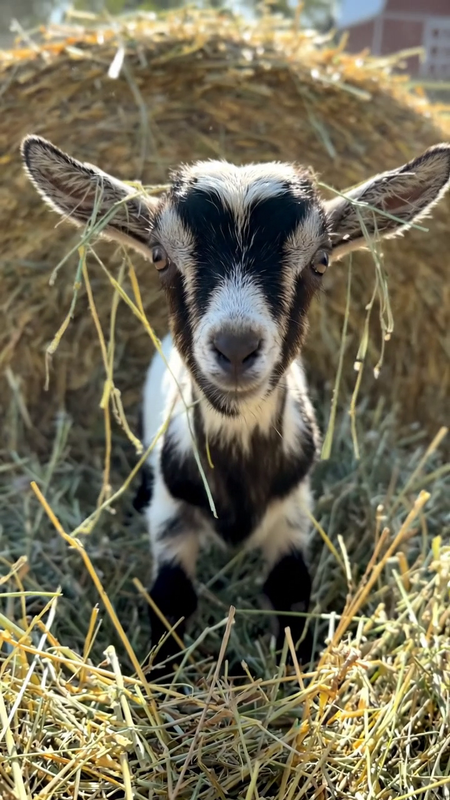
Vertical 9:16 video, realistic handheld phone footage on a sunny farm: a tiny baby goat hops up onto a round hay bale, slips, tumbles gently down into soft loose hay, then pops its head up and looks straight at the camera. Natural farm sounds, one continuous shot, playful mood, no text.
The five parts, in order:
- Format line — "Vertical 9:16 video, realistic handheld phone footage" tells the model the shape and the camera style in one breath.
- Who and where — one subject, one place: a tiny baby goat, a sunny farm.
- One action — hops, slips, tumbles. One action, not three scenes.
- The ending — "pops its head up and looks straight at the camera." Shorts live or die on the last two seconds; write the ending into the prompt.
- Style line — natural sounds, one continuous shot, no text.
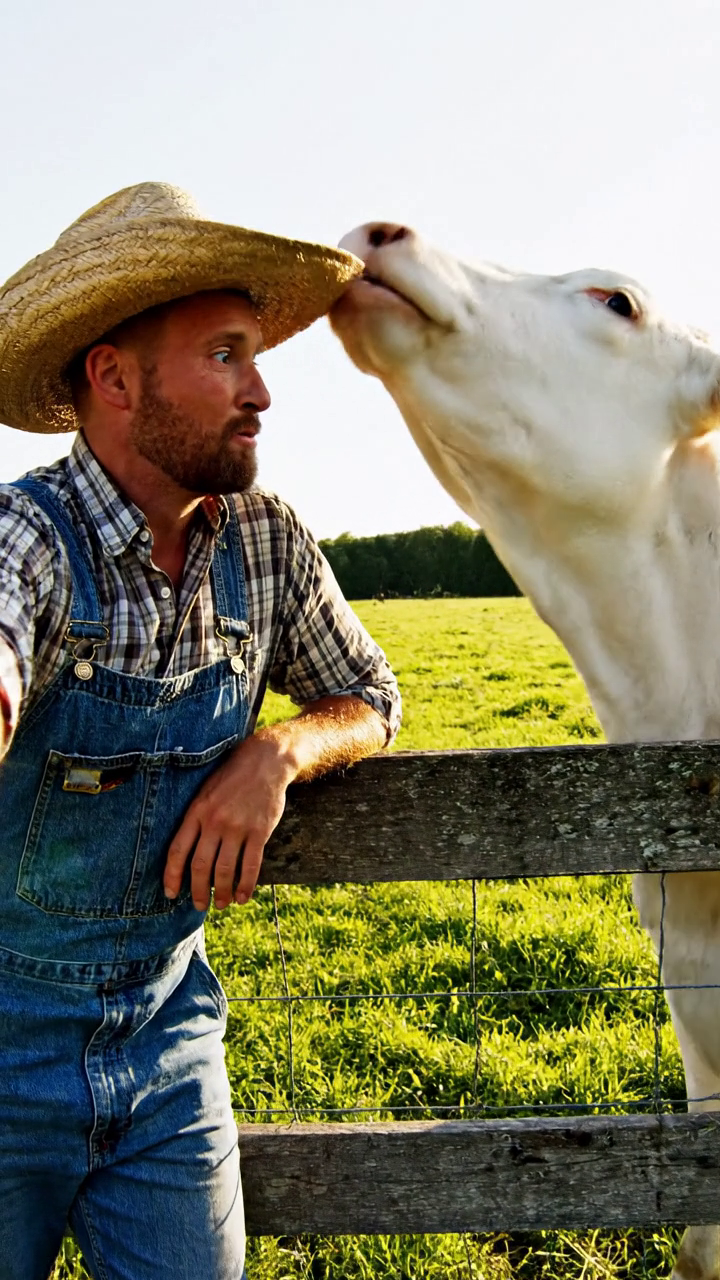
One honest lesson from our first test: endings land better than mid-action physics. In the cow clip, the cow ended up wearing the hat exactly as asked — but the hat never visibly left the farmer's head on
the way there; the snatch itself morphed. Ask for a clear end state and one simple action, and Flow is far more reliable.
Step 3 — Lite or Fast? Use both, on purpose
| Mode | Cost | Our measured time | What we saw |
|---|---|---|---|
| Lite (Veo 3.1 Lite) | 10 credits | ~1 minute | The goat clip followed the prompt beat for beat: hop, tumble, head pop-up ending. |
| Fast (Veo 3.1 Fast) | 20 credits | ~1–2 minutes | Richer motion on the cow clip, but the hat-grab action morphed mid-clip. |
The routine that fits the free plan: draft in Lite, finish in Fast. Spend 10-credit Lite generations finding an idea whose action and ending work, then spend 20 credits once on the Fast version of the winning prompt. A full day of testing plus a final costs 40–50 credits — exactly one day's refill.
Step 4 — Generate once, then check the three beats
Generate a single output and judge it on three beats: the setup (is the subject clear in the first second?), the action (did the one thing you asked for actually happen?), and the ending (does the last frame hold a reaction worth replaying?).
Our Lite goat clip, honestly scored: setup — a black-and-white kid beside a round hay bale, red barn behind, instantly readable. Action — it hops up and tumbles into the loose hay; the tumble is brief rather than a long roll. Ending — the head pops up into a full-frame close-up, straw hanging off both ears, staring into the lens. That ending is the frame that makes the Short.
Step 5 — Download the original file
Download the clip at original size. Our Lite file, measured after download: 720 × 1280, 7.93 seconds, about 11 MB, with an audio track. There is no visible watermark burned into the picture — Flow instead embeds Google's invisible SynthID marker, which does not affect how the video looks or plays. The 1080p upscale option is paid, and for Shorts the 720 × 1280 original is the correct shape anyway.
Step 6 — Turn 8 seconds into a publishable Short
Eight seconds is short, but it is a complete Short when the ending lands — both of our test clips tell their whole joke inside that time. If your idea needs more room, generate a second clip with a matching prompt and stitch the two together in any basic editor. Whichever way you go: trim any dead first half-second, and add captions or music in the editor you already use. Do not pad a good 8-second clip with a slow intro; the format rewards getting to the action immediately.
Step 7 — Upload with the checklist
- Title = the hook. Write what happens, in the viewer's words, and put the hashtags in the title itself: our channel's pattern is a short hook, an emoji, then #shorts and two topic tags.
- Description = the title text. Keep them identical so search sees one clear signal.
- Disclose the AI content. YouTube asks whether the upload contains realistic altered or AI-generated content. These clips are exactly that — answer honestly; it is a label, not a penalty.
- Check the first frame. On a phone, the opening frame is your thumbnail. If the setup beat is weak, no title will save the click.
The daily routine, on one page
For one Short a day, the free plan is comfortable: two or three Lite drafts in the morning (20–30 credits), one Fast final of the winner (20 credits), publish, done — and the balance refills overnight. Aiming for two or three Shorts a day means living mostly in Lite and saving Fast for your best idea of the day. What the free plan will not do is five polished Fast clips daily; that is a paid-tier habit, and no prompt trick changes the maths.
What Flow still cannot do
- Length: about 8 seconds per generation. Longer stories are stitched, not generated.
- Precise physical action: grabs, steals and hand-offs can morph mid-clip. Design around end states.
- The Quality tier: at 100 credits it is decoration on the free plan.
- True 1080p: upscaling is a paid feature; the free original is 720 × 1280.
Testing note: Written from two hands-on generations — a Veo 3.1 Fast clip on October 31, 2026 (50 → 30 credits) and a Veo 3.1 Lite clip on November 1, 2026 (30 → 20 credits; balance had not yet hit its 11:05 PM refresh). One generation each, no rerolls, files verified after download. Credit counts and prices are as shown in Flow on those dates and can change. This post contains no affiliate links.
Comments
Post a Comment